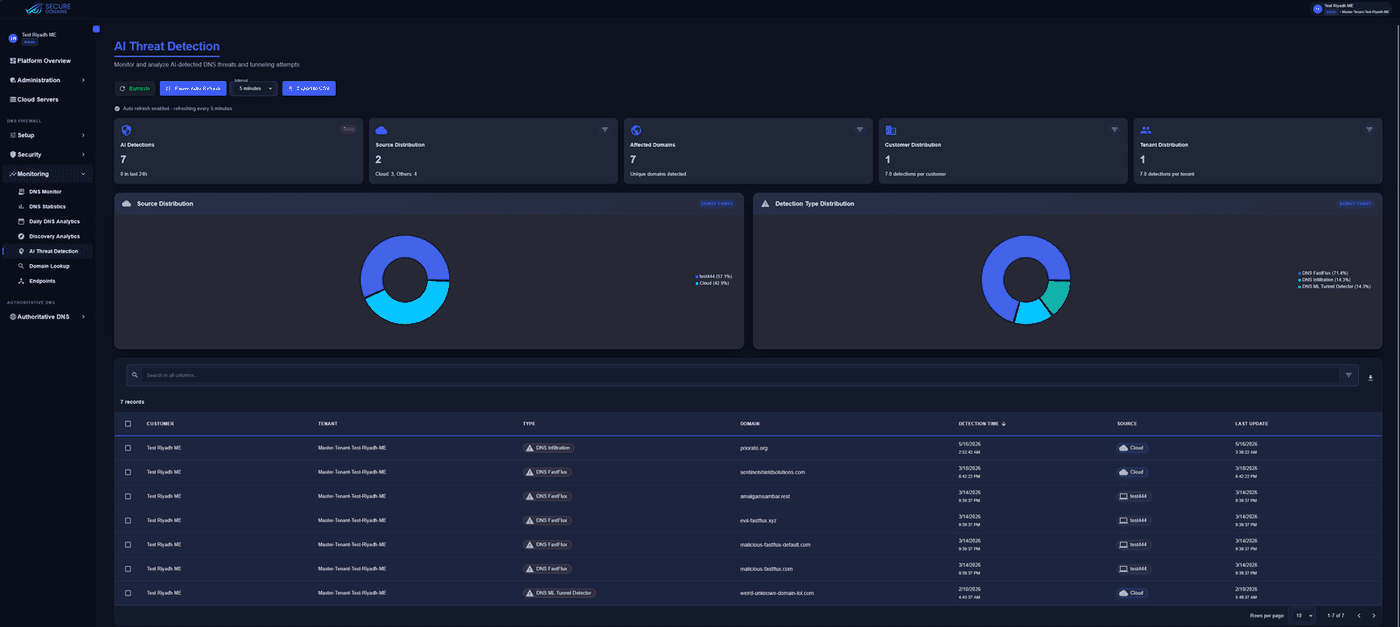
AI threat detection
Tunnelling, fast-flux and DGA findings per customer and tenant, with CSV export.
Each step adds evidence. The final decision follows your policy, not a fixed vendor verdict.
Domain
The name requested by the device.
Example
x9-update-check[.]top
Classification
Matched against threat, web and application intelligence.
Example
Malicious
Threat score
Risk weighted by reputation, age and behaviour.
Example
High (97 / 100)
Category
The kind of threat or content it represents.
Example
Malware distribution
Policy
Your rules for this network, user and time of day.
Example
Block
Real screens from the DNS Armor™ portal: detections, discovery and reporting your SOC can act on.
Tunnelling, fast-flux and DGA findings per customer and tenant, with CSV export.
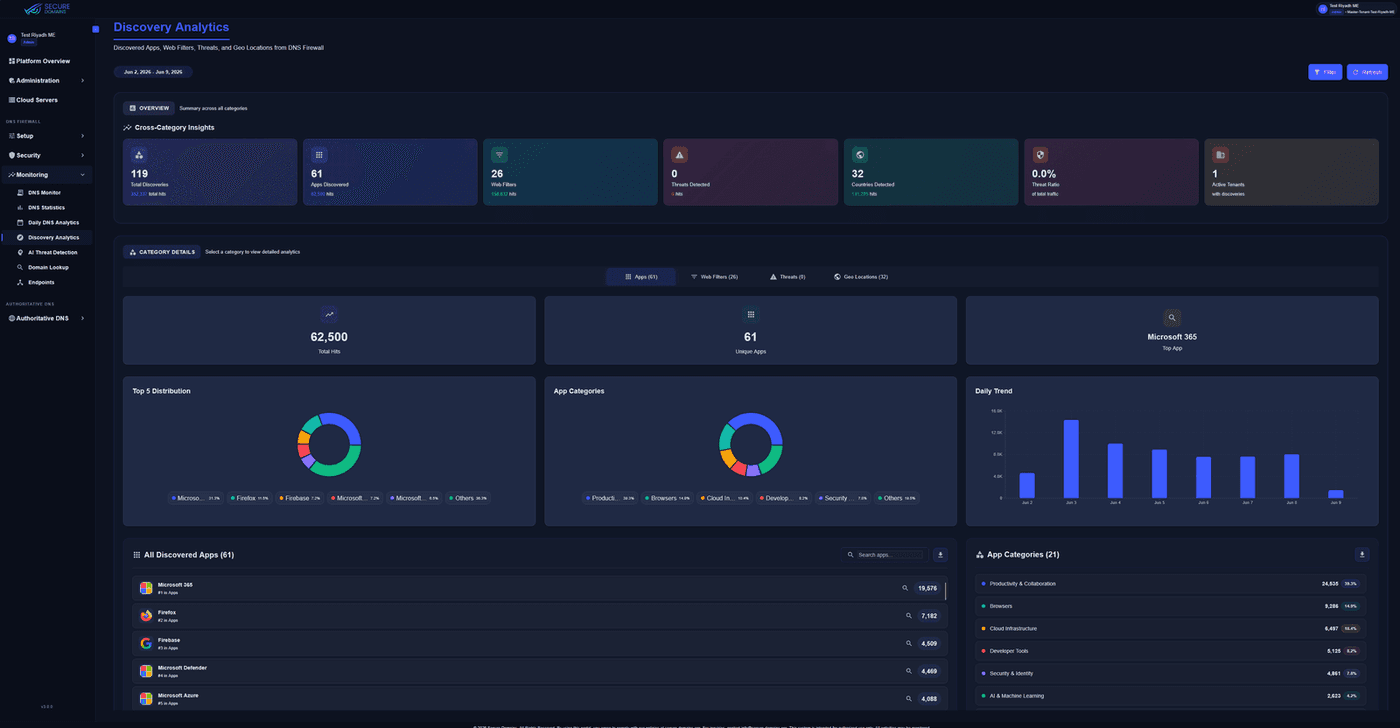
Apps, web filters, threats and countries seen in DNS for each tenant.
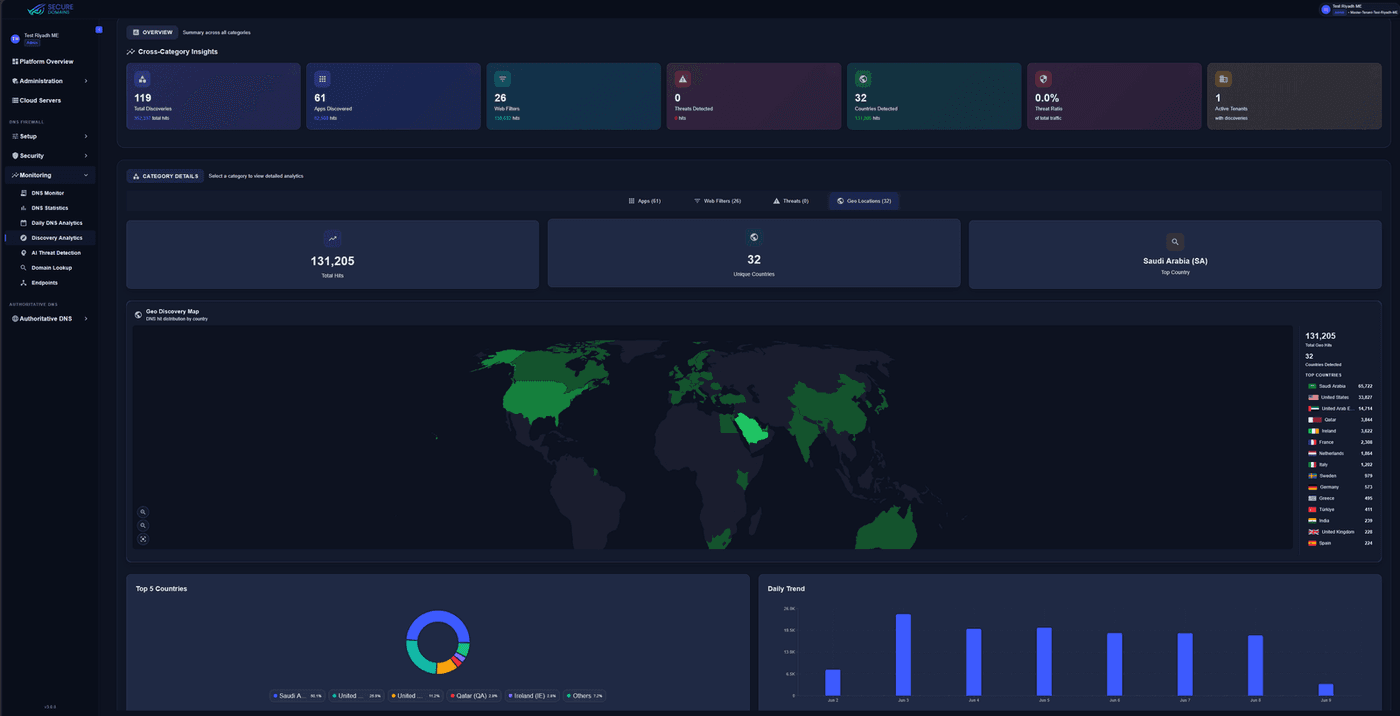
Daily trends and geo views that feed audits and board reporting.
20M+ active indicators.
Scored at resolution time.
AI models watch for tunnelling, DGA and fast-flux behaviour that static lists miss.
Machine-learning and behavioural models watch how DNS traffic behaves, not only which names appear, to surface covert channels that never match a signature.
Data or commands encoded inside query names and responses, detected by pattern and volume.
Slow, low-volume leakage through DNS that perimeter firewalls were not built to see.
Machine-generated names malware uses to find its command-and-control servers.
Rapidly rotating hosting used to keep phishing and malware sites online.
Recently created domains, frequently used in phishing campaigns, flagged for policy.
Findings appear under Monitoring → AI Threat Detection in the portal.
Response Policy Zones work in both directions, so DNS Armor fits into an existing security stack.
External RPZ feeds
DNS Armor
BIND · Infoblox · third-party resolvers
Threat intelligence, web-filtering and application feeds are included with DNS Armor Protect™.
Subscribe to external RPZ feeds over HTTPS and keep them in sync on a schedule.
Publish your feeds in RPZ format for BIND, Infoblox and other third-party resolvers.
No. It works at a different control point: the moment a name is looked up, before any connection is attempted. It complements perimeter firewalls and endpoint tools, and it also covers roaming devices those tools may not see.
Yes. DNS Armor Protect™ ingests external RPZ feeds over HTTPS on a sync schedule, and can export your feeds in RPZ format to BIND, Infoblox and other resolvers.
Yes. Local Rulesets give explicit allow and block decisions, and Cloud Policies can differ by network, user group and schedule.
They appear under Monitoring → AI Threat Detection in the portal and can be streamed to your SIEM over CEF.
Book a walkthrough, or start a free trial and review your own AI findings.


